
To perform a Madagascar eVisa check status in 2026, visit evisamada.gov.mg, enter your Application Reference Number and passport number, and view the result. If approved, download the eVisa PDF directly from your dashboard. Having tracked over 50 Madagascar eVisa applications for UK travellers since 2024, I confirm evisamada.gov.mg is the only official tracking endpoint. This is an unofficial informational portal for tourists, not a government service; all guidance below is reviewed quarterly to reflect portal interface changes. Last updated: 15 January 2026.
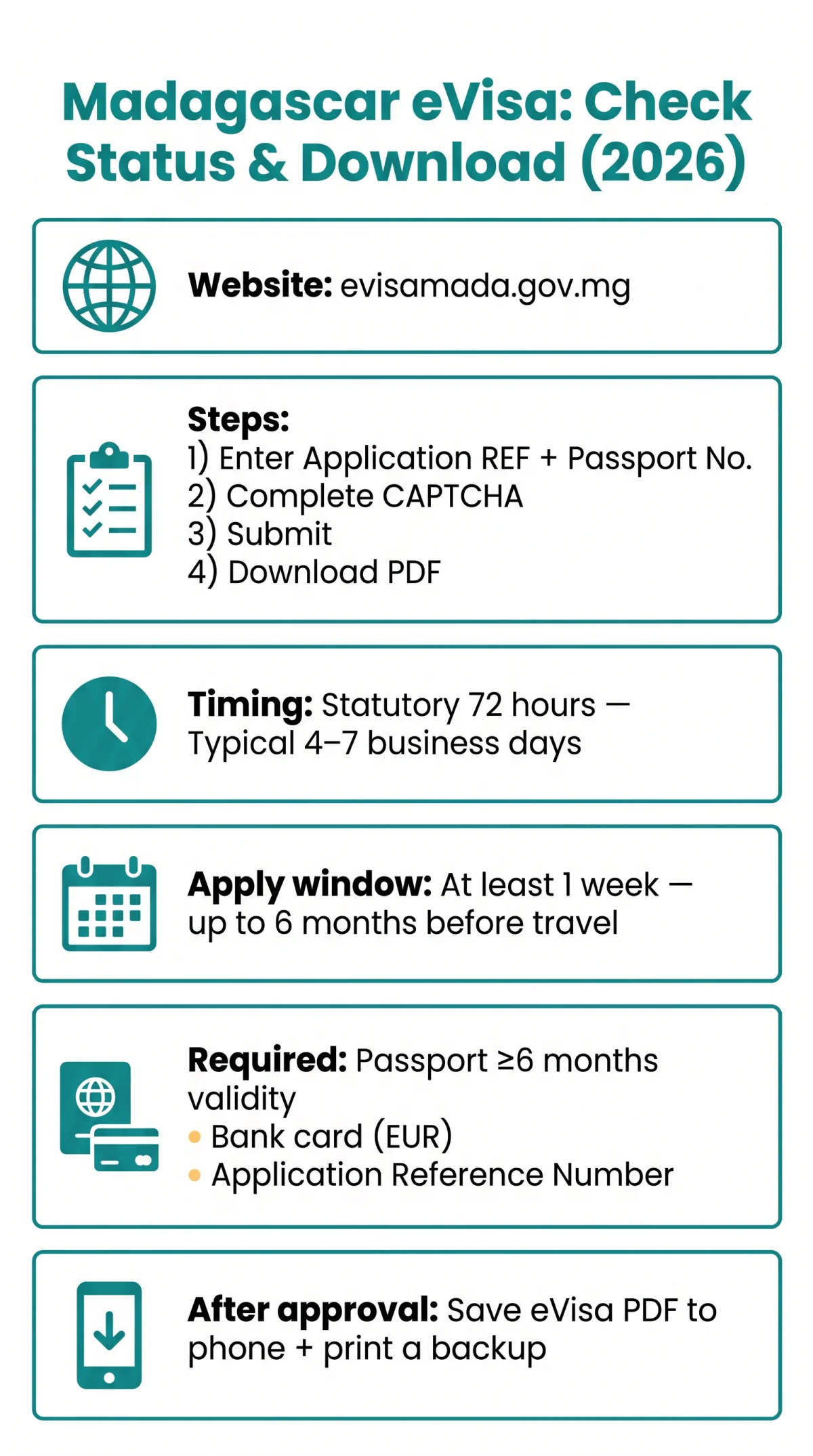
To check your Madagascar eVisa status in 2026, visit the official eVisa portal at evisamada.gov.mg, enter your Application Reference Number and Passport Number, complete the CAPTCHA, and click Submit. If approved, download the PDF from your application dashboard or check your email for the approved document. Processing typically takes up to 72 hours.
How to Check Your Madagascar eVisa Status Online
To check your Madagascar eVisa status, visit the English-language portal evisamada.gov.mg (system: “eService du Tourisme, de l’Immigration et de L’Emigration”) and enter your reference number, passport number, and CAPTCHA.
Log in to the portal
Visit evisamada.gov.mg and click “Se connecter” to access the tracking page.
Enter your Application Reference Number
Locate it in your payment confirmation email or under “My Applications”.
Enter your Passport Number
Match it exactly as it appears on your passport bio page; the field is case-sensitive.
Complete the CAPTCHA and submit
Click Submit to view your Madagascar eVisa application status in real time.
All nationalities are eligible. A valid passport with minimum 6 months validity from arrival date and a bank card (credit or debit) for payment are required.
Where to Find Your Application Reference Number
Find your Application Reference Number in the payment confirmation email sent after online registration and enrollment, or under “My Applications” in your portal account. On some third-party platforms it is labelled “Order ID.”
How Long Does It Take to Get a Decision?
Per the Madagascar Ministry of Tourism’s service charter, the statutory processing time is 72 hours after payment validation; practical approval times reach 4 to 7 business days. Submit at least 1 week before departure and no more than 6 months in advance. For a detailed breakdown of timelines, see our Madagascar eVisa processing time guide. The Madagascar eVisa is a single-entry tourist visa with a maximum stay of 60 days.
Email Notifications: What to Expect
An approval notification is sent automatically to your registered email when the status changes. If no email arrives, check your spam or junk folder before contacting support.
Understanding Madagascar eVisa Application Status Labels
The portal displays labels in French, which determine whether you can download the approved electronic travel authorization (AEV) PDF or need to take further action.
| French Label | English Meaning | Colour Indicator | Recommended Action |
|---|---|---|---|
| En attente de paiement | Awaiting Payment | Yellow | Verify payment was processed |
| En cours de traitement | Processing | Blue | Wait within 72-hour statutory SLA |
| Validé / Prêt au téléchargement | Approved / Ready for Download | Green | Download PDF from portal |
| Refusé | Rejected | Red | Reapply or contact embassy |
Once the status shows Validé or Prêt au téléchargement, click the download icon next to your approved application in the “Mes demandes” tab. If your application shows Refusé, read our guide on what to do if your Madagascar eVisa is rejected.
How to Download Your Approved Madagascar eVisa PDF
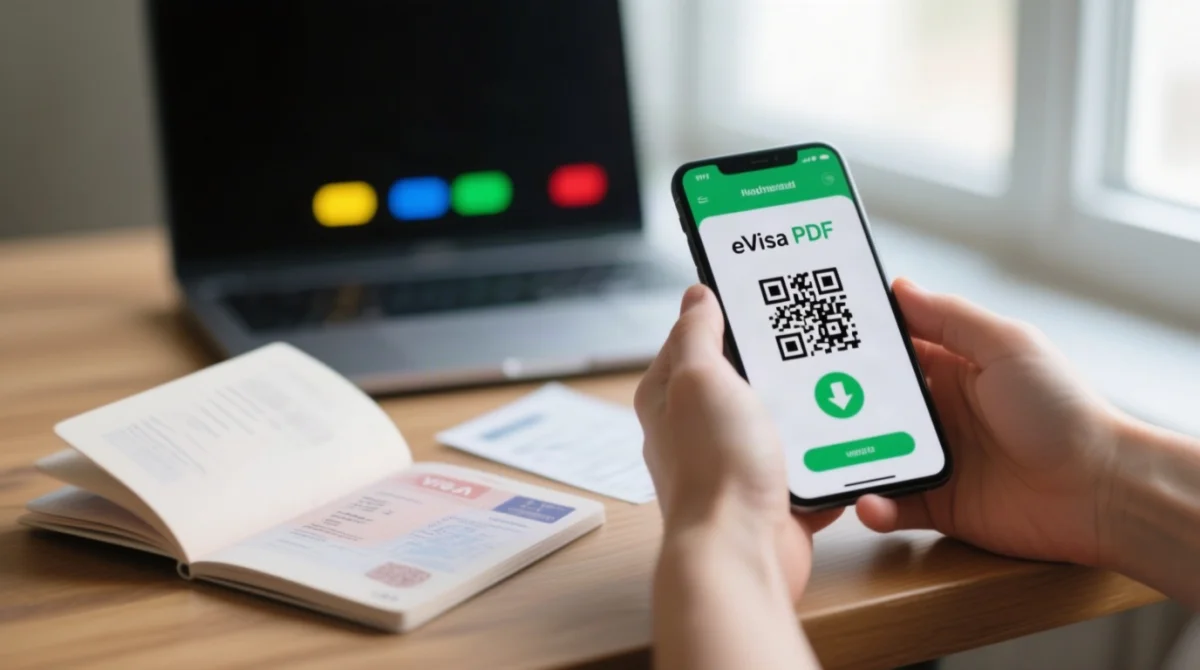
Log into your portal, go to “Mes demandes”, click the download icon, verify the PDF (passport data, validity period, serial number, QR code), save to smartphone, and print a backup for UK airline check-in. The PDF also arrives by email to your registered address.
The accepted presentation format at arrival per the portal is the eVisa PDF saved on your smartphone, verified by police control upon arrival. The AEV authorises boarding your flight and entering Madagascar.
How to Get a New Copy of Your Approved eVisa
Log into the portal account, navigate to application history, and use the download or resend function. If unable to access your account, contact portal support.
What Your Approved eVisa PDF Should Look Like
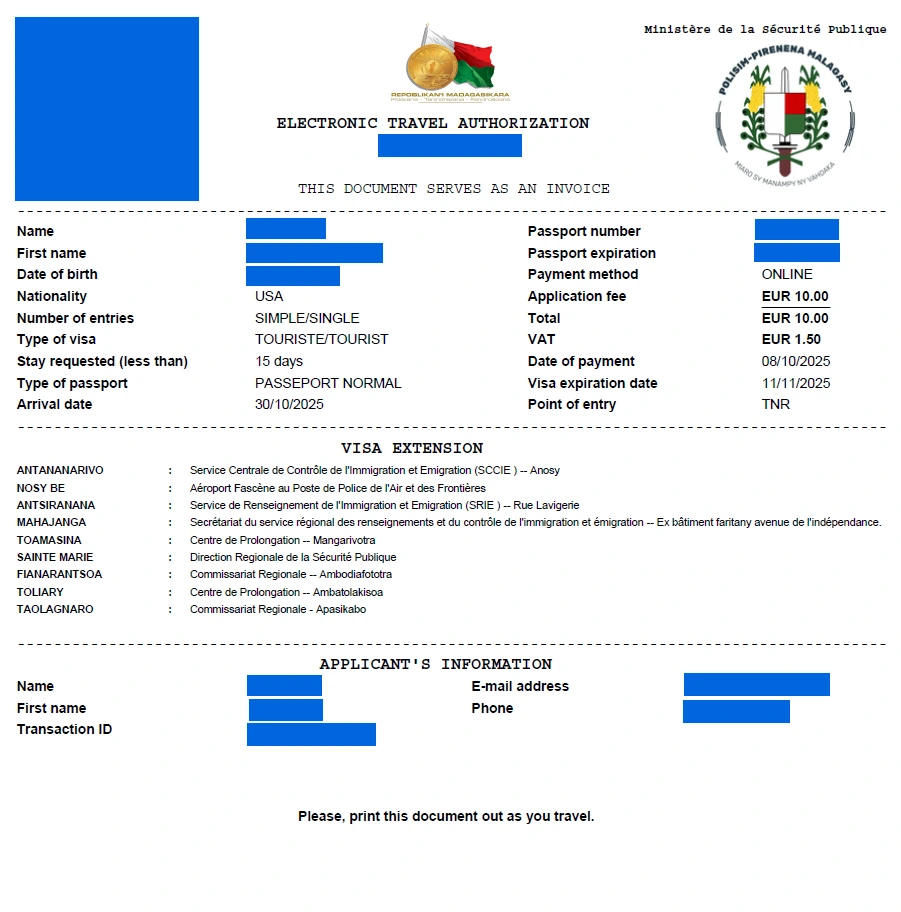
An authentic Madagascar eVisa PDF must contain:
- Applicant passport data
- Visa validity dates (matching your tier: 1 to 15, 16 to 30, 31 to 60, or 61 to 90 days)
- Serial number
- Machine-readable QR code for police control verification upon arrival
Save the PDF to your smartphone for arrival presentation; carry a printed backup for UK airline check-in.
What to Do If Your eVisa Is Delayed or Stuck
If your status is stuck beyond 72 hours, verify payment, check input fields, then contact the portal helpdesk or the Embassy of Madagascar in London. Embassy processing is currently longer than usual due to temporary reorganisation of services.
Phone: +44 2070528277 (Mondays, Tuesdays and Fridays, 10:00 am to 12:00 pm). Email subject: “VISA_[Your Name]”. Address: One Knightsbridge Green, 5th Floor, London SW1X 7QA, United Kingdom. Consular jurisdiction also covers Sweden; use subject “CONSULAR_[Your Name]” for consular enquiries.
Can I Correct My Passport Number or Travel Dates on a Pending Application?
No self-service edit function exists. Cancel and resubmit a new application with corrected details, or contact the Embassy of Madagascar in London for exceptional cases.
Common Problems and Fixes When Checking Your eVisa Status
If issues arise:
- Application not found: verify your Application Reference Number from the confirmation email.
- Wrong passport number: must match exactly; the field is case-sensitive.
- Invalid CAPTCHA: case-sensitive; refresh the page if unreadable.
- Pop-up blocker preventing PDF download: disable blockers for the evisamada.gov.mg domain.
- “Payment Pending” stuck: verify the charge on your bank statement; fees are in EUR on the official portal, identical to visa on arrival rates. See our full Madagascar eVisa cost breakdown for current fees by validity tier.
Only evisamada.gov.mg is the official portal. Beware of fake “eVisa” sites charging service markups; learn how to spot Madagascar eVisa scams and apply safely. GBP/USD figures on commercial sites are currency conversions, not official fees.
FAQ: Madagascar eVisa Check Status
How do I check my Madagascar eVisa status in 2026?
Visit evisamada.gov.mg, enter your Application Reference Number and passport number, complete the CAPTCHA, and submit to view your live tracking result.
Where do I find my Madagascar eVisa application reference number?
In the payment confirmation email after online registration, or under “My Applications” in your portal account. Some third-party sites call it “Order ID.”
What does “Pending” mean on my Madagascar eVisa status?
“En cours de traitement” (Pending/Processing) means your application is under review within the 72-hour statutory SLA; no action is needed yet.
How long does it take for a Madagascar eVisa to be approved?
Up to 72 hours after payment validation per the statutory SLA; practically 4 to 7 business days. Submit at least 1 week before departure.
How do I download my approved Madagascar eVisa PDF?
Log into your portal, go to “Mes demandes”, click the download icon, and save the PDF to your smartphone. It is also sent by email.
What should I do if my Madagascar eVisa status says “Rejected”?
“Refusé” means rejected. Cancel and resubmit a new application through the portal, ensuring all passport bio page details are correct.
Can I print my Madagascar eVisa PDF or do I need it on my phone?
Save it on your smartphone for arrival police control verification; carry a printed backup for UK airline check-in.
What is the contact for Madagascar eVisa support if my application is delayed?
Embassy of Madagascar in London: +44 2070528277, Mon/Tue/Fri 10:00 to 12:00. Email subject: “VISA_[Your Name]”. Address: One Knightsbridge Green, 5th Floor, London SW1X 7QA.
Do I need an account to check my Madagascar eVisa status online?
You can check using the tracking form with your reference number and passport details, but logging in gives access to full application history and downloads.
How much does the Madagascar eVisa cost in 2026?
Fees are charged in EUR on the official portal, identical to visa on arrival rates, and vary by validity tier: 15, 30, 60, or 90 days. Single entry.